Discover the Features That Set Cartularius Apart

Cartularius empowers you to take control of your document workflows with cutting-edge features designed to save time, prevent errors, and streamline collaboration. Built natively for Salesforce, our solution is intuitive, secure, and scalable to meet your business needs.
Familiar Interface & Low Learning Curve

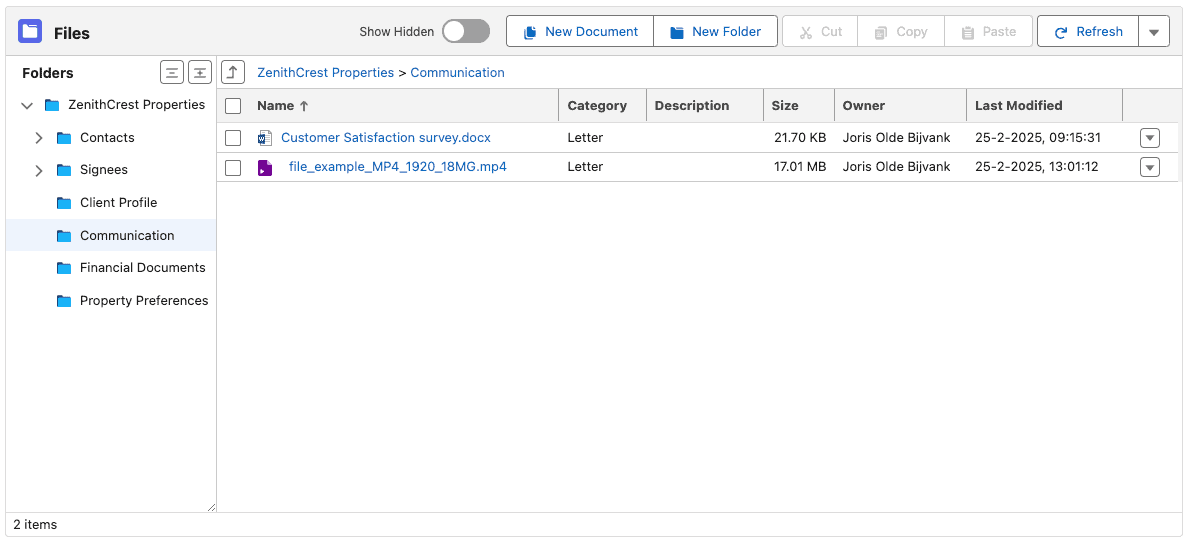
Experience a familiar and intuitive design influenced by Salesforce, Windows File Explorer, and MacOS Finder. This well-known appearance necessitates minimal training and swiftly boosts user adoption.

Drag & Drop File and Folder Uploads

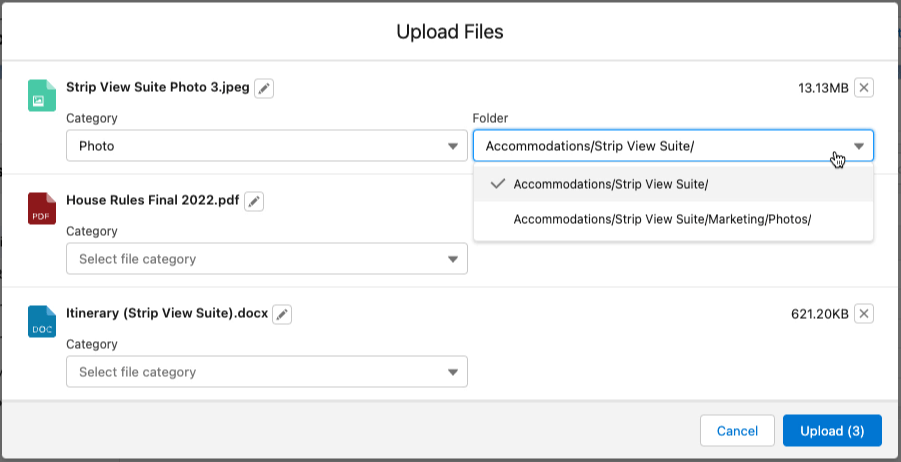
Effortlessly upload large files and complete folder structures with a simple drag-and-drop. Enjoy a smooth, user-friendly experience that keeps you informed and in control.

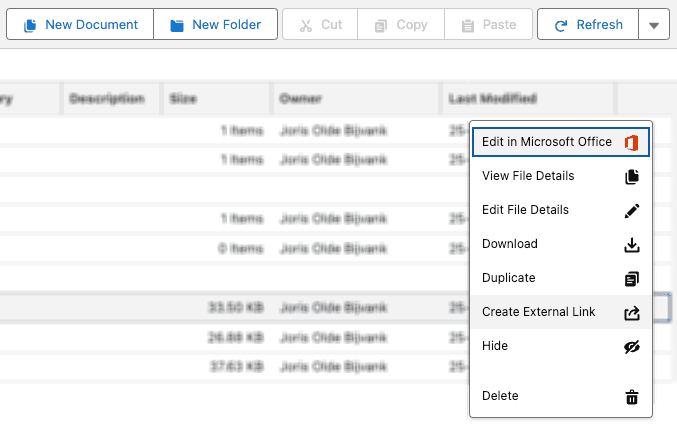
Complete File Management Actions

Manage your files effortlessly, with familiar actions like copy, move, duplicate, and more right at your fingertips. This user-friendly interface lets you organize your documents exactly how you prefer without hassle, allowing you to work smarter and more efficiently.

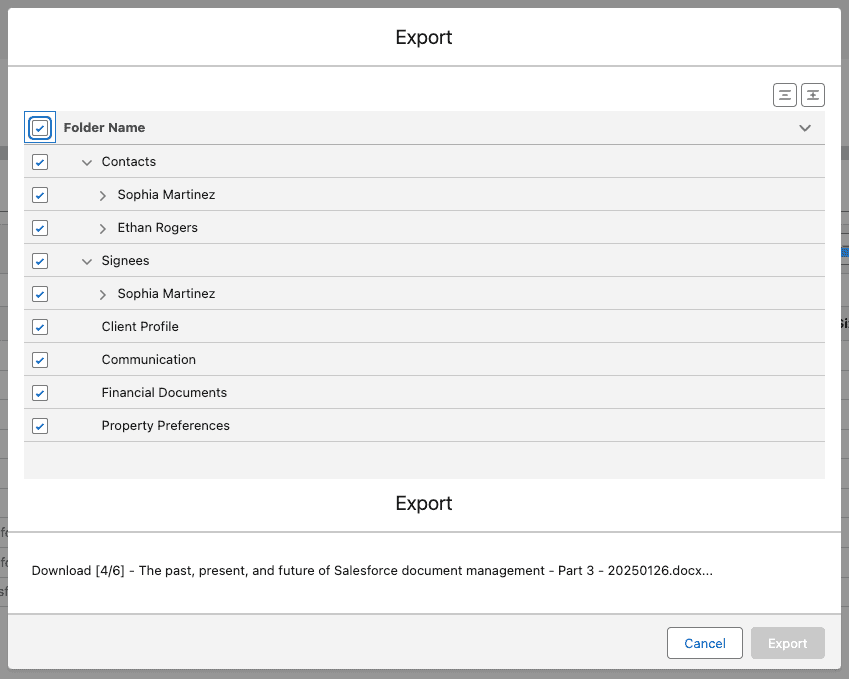
Effortless Export Options

With just a few clicks, you can quickly export files and folders, including those linked to related records. This feature lets you gather and share your data seamlessly, eliminating the need to download items individually. Thus, you can collaborate and move forward faster.

AI-Driven File Routing

Let intelligent AI work for you, automatically sorting your files into the proper folders as you upload them. No more manual filing, so you can focus on what matters.

AI-Generated Document Summaries

Quickly understand the key points of lengthy Word documents through AI-generated summaries. This feature saves you time by transforming complex content into clear, concise insights, allowing you to focus on what truly matters.

Enhanced Search with Einstein

Effortlessly find exactly what you need with Einstein Search, crafted to swiftly locate files, even by analyzing AI-generated summaries. This intelligent search feature guarantees that whether you're seeking a specific document or exploring related content, everything is just a few keystrokes away.

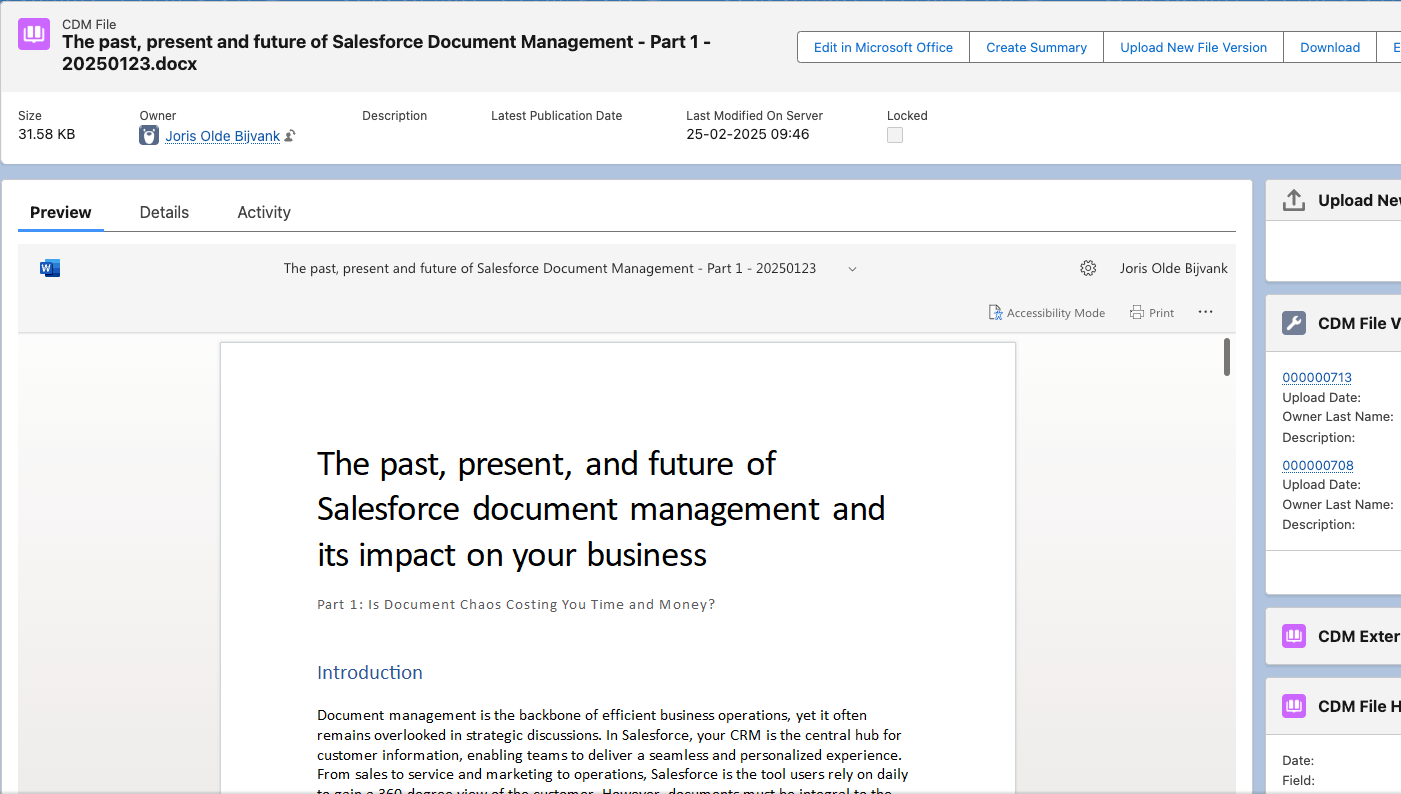
Direct Office 365 Integration

Work on your Office files directly within Salesforce, enjoying real-time collaboration and editing without downloading or re-uploading. This seamless integration lets you instantly create, edit, and share documents, keeping your team in sync and boosting productivity.

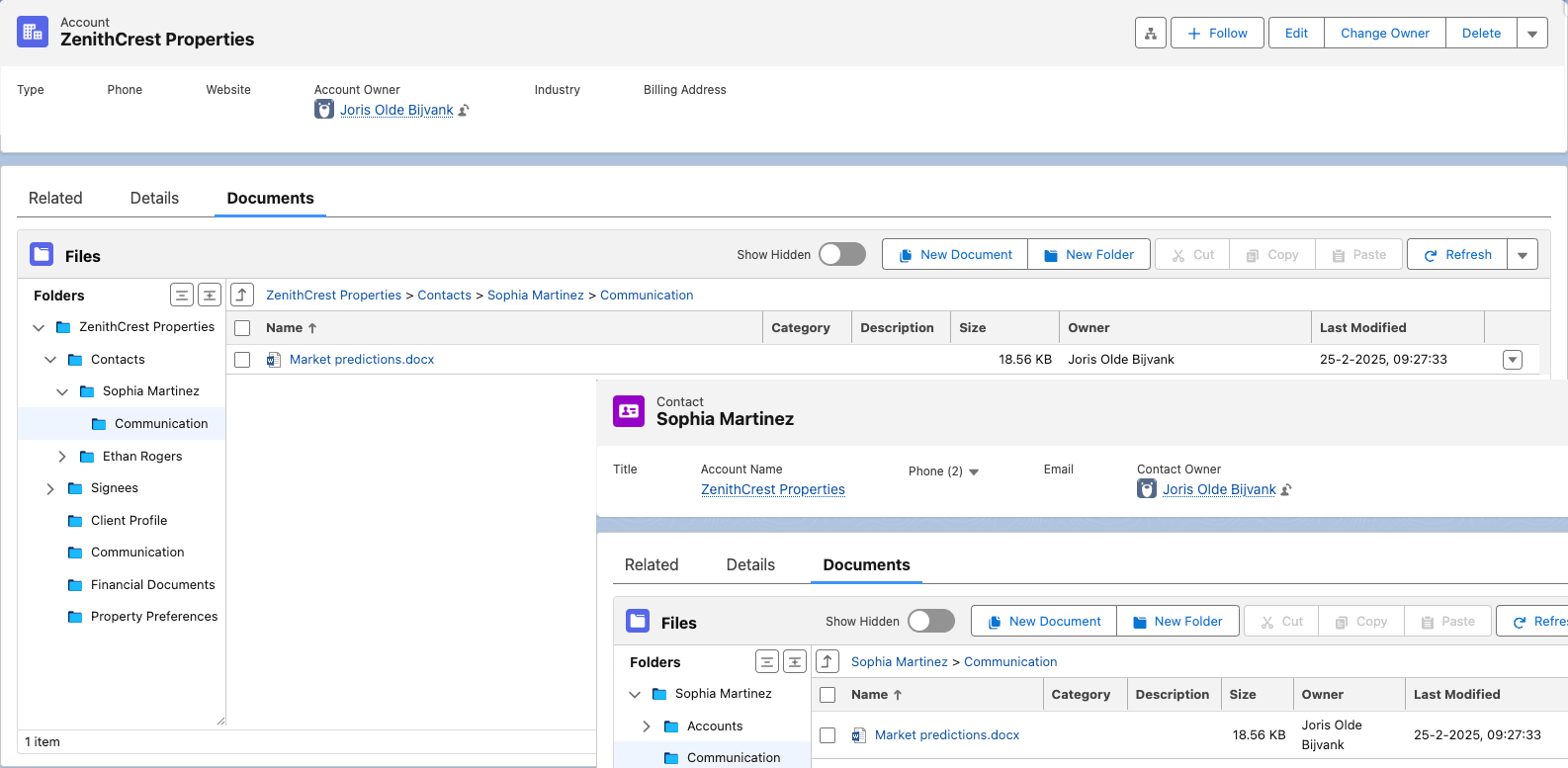
Instant Access to Related Files

You can quickly view all files linked to related records without leaving your current view. This seamless integration saves you time and ensures that everything you need is at your fingertips.

Dynamic File Previews

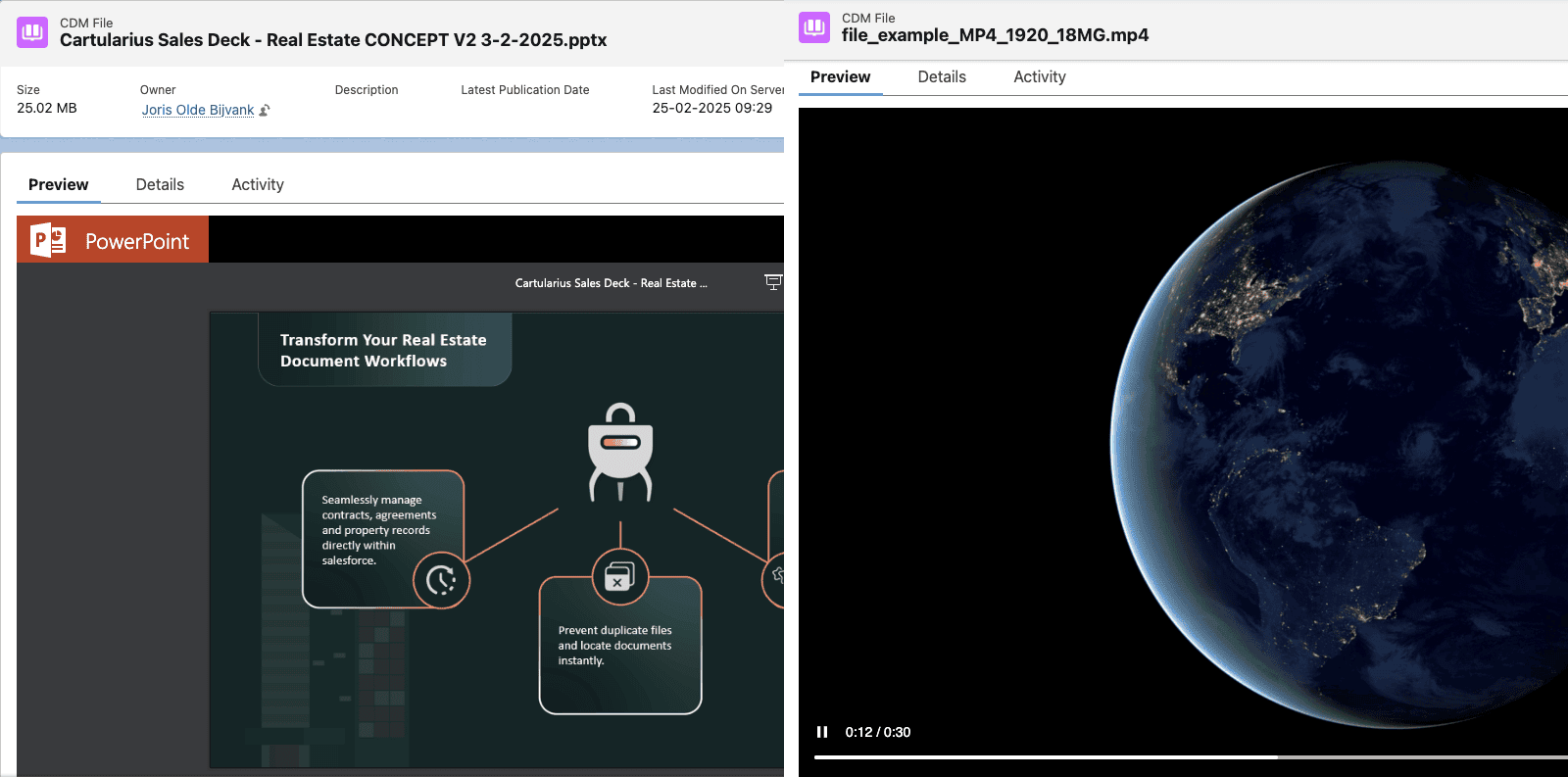
Effortlessly preview popular file types directly in Salesforce. This feature allows you to view content, including videos, without exiting the platform, ensuring quick access and a smoother workflow.

Advanced Collaboration Tools

Enhance teamwork and streamline projects using integrated tools such as Chatter, Groups, and Office 365 collaboration, all within Salesforce. Share updates, discuss files, and collaborate in real time to keep everyone aligned and advance your projects efficiently.

Secure File Sharing

Share files effortlessly with partners and clients outside your organization while keeping your data safe. This feature streamlines collaboration with external parties, ensuring that you can exchange important documents quickly and securely without any hassle.

Quick Setup and Installation

  • Rapid Deployment: Get started in less than 10 minutes with an intuitive admin panel.
  • Easy Configuration: Simple, guided setup for immediate productivity.

Customization and Workflow Automation

  • Lightning Component Placement: Easily add the File & Folders component to Lightning Record Pages for immediate access.
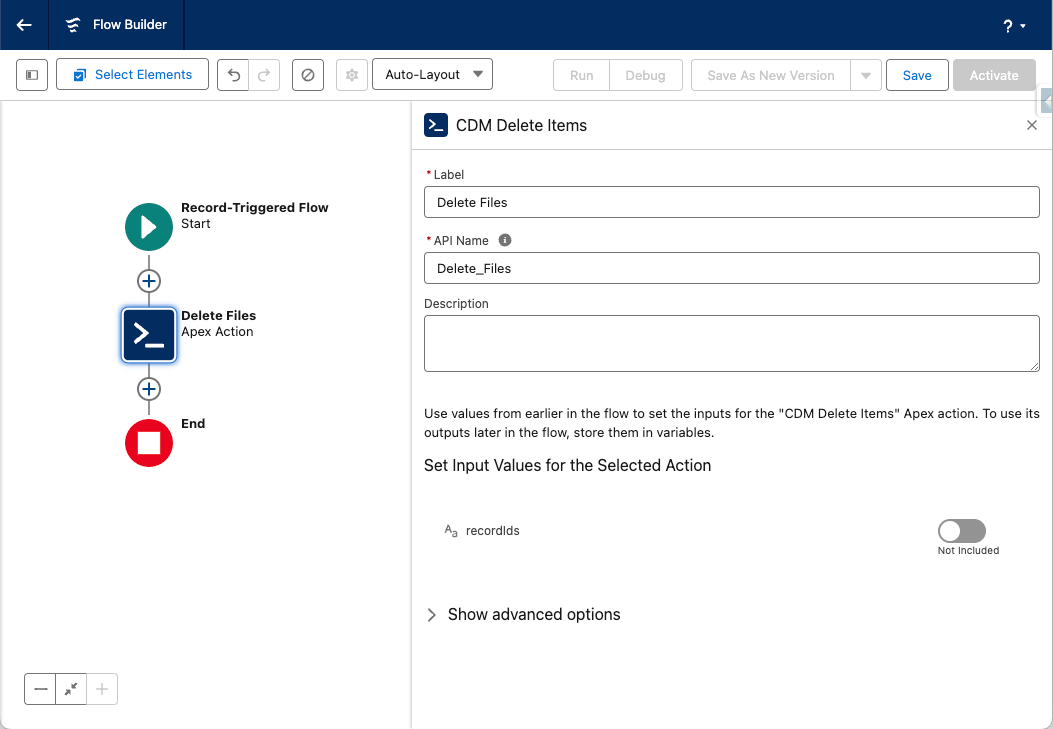
  • Flow-Based Automation: Utilize Salesforce Flows to create automated workflows for file management tasks, minimizing manual effort and ensuring consistency.

Automated Folder and File Organization

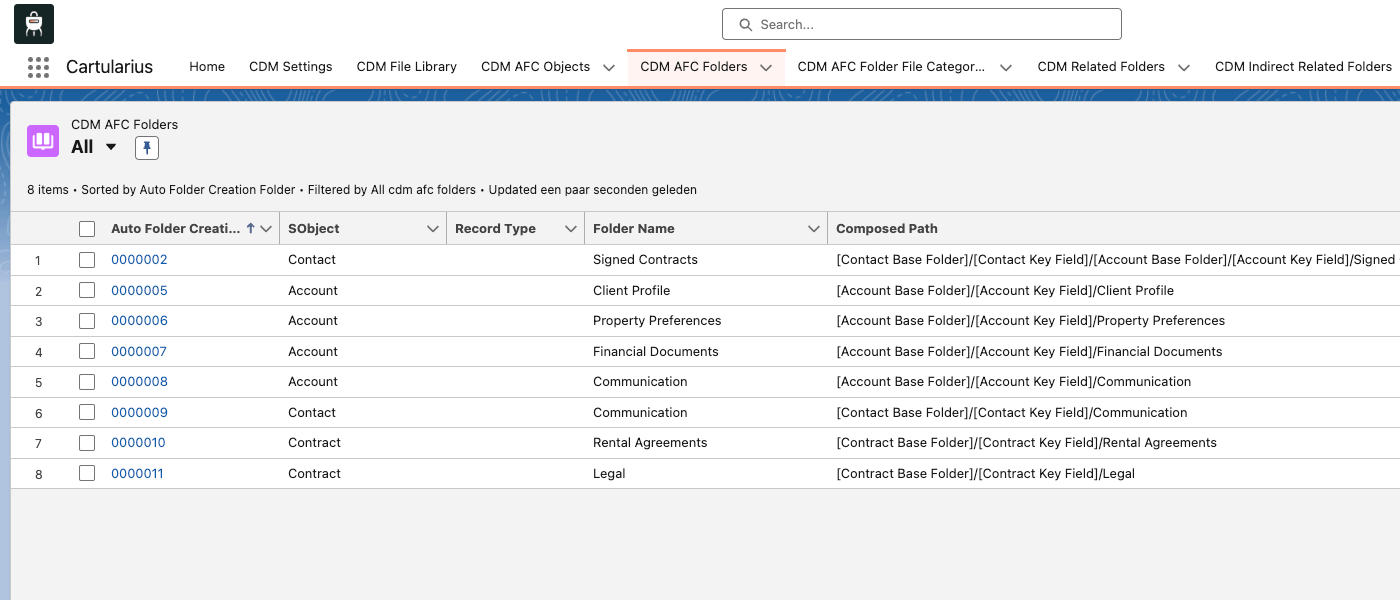
  • Auto Folder Creation: Create a custom folder structure for each Salesforce object or record type.
  • File Category Restrictions: Define fixed file categories per folder so that files automatically route to the right place, reducing manual sorting and misplacement.
  • Cross-Record File Linking: Ensure files linked to related records appear where expected, capitalizing on Salesforce’s relational model.

Bulk File Management

  • Drag-and-Drop Imports: Upload entire folder structures in one go and allow Cartularius to reconstruct your hierarchy seamlessly.
  • Streamlined Exports: You can export complete archives, including related records, in one go, eliminating the need to download files individually.

Integration with External Services

  • Amazon S3 Connection: Easily connect to your Amazon S3 environment for secure, scalable storage and access to Amazon’s backup and security features.
  • Office 365 Integration: Streamline document editing and collaboration directly in Salesforce.
  • OpenAI Integration: Set up AI-driven tools, such as automated categorization and summary generation, to improve file processing and insights.

Access and Permissions Management

  • Default Access Settings: You can configure internal access levels (private, public read-only, and public read/write) to control who sees and edits files.

Localization and Flexibility

  • Multi-Language Support: The app is fully configurable in Dutch and English by default, and you can add more languages as needed.

Robust Monitoring and Administration

  • Comprehensive Audit Tools: Access detailed logs to monitor file actions for enhanced security and compliance.

Custom Object Integration

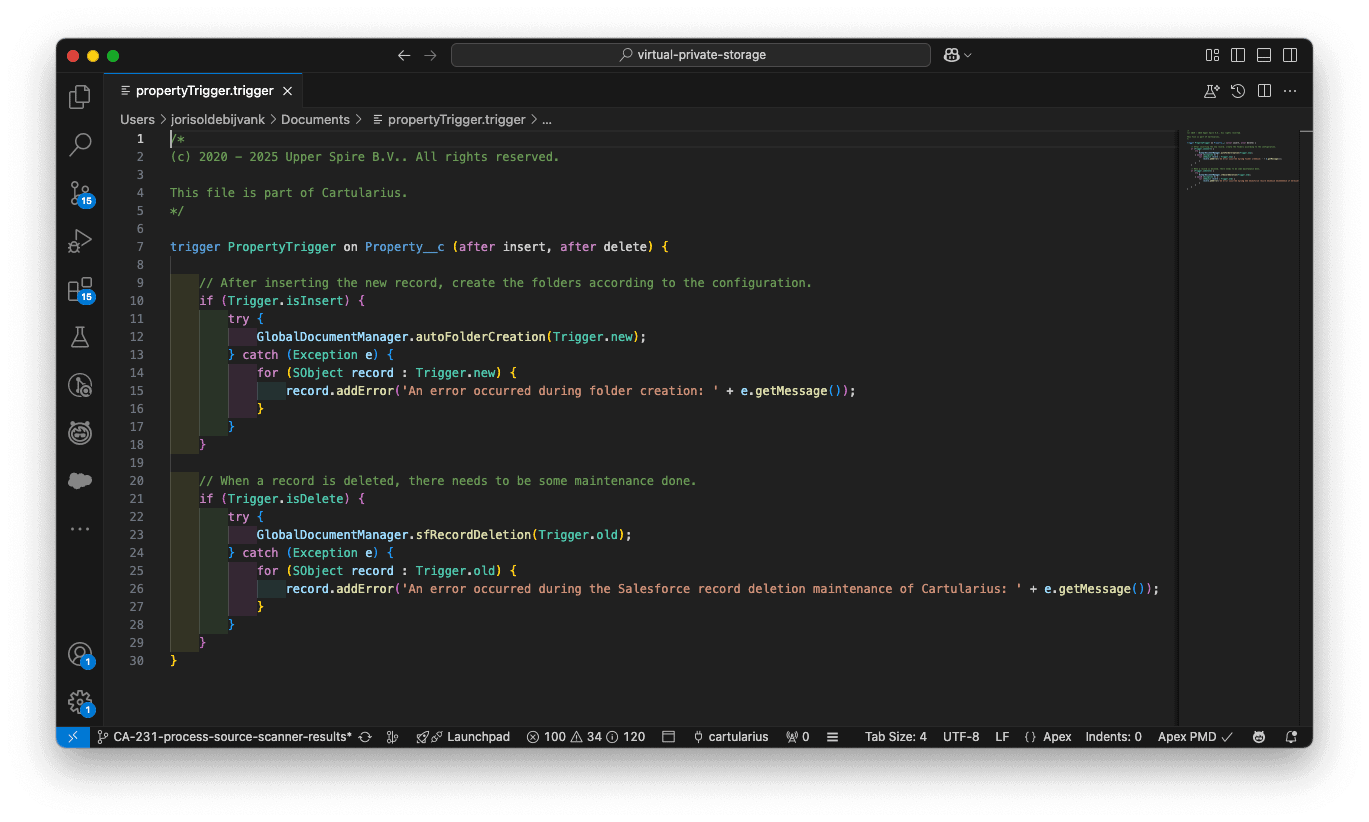
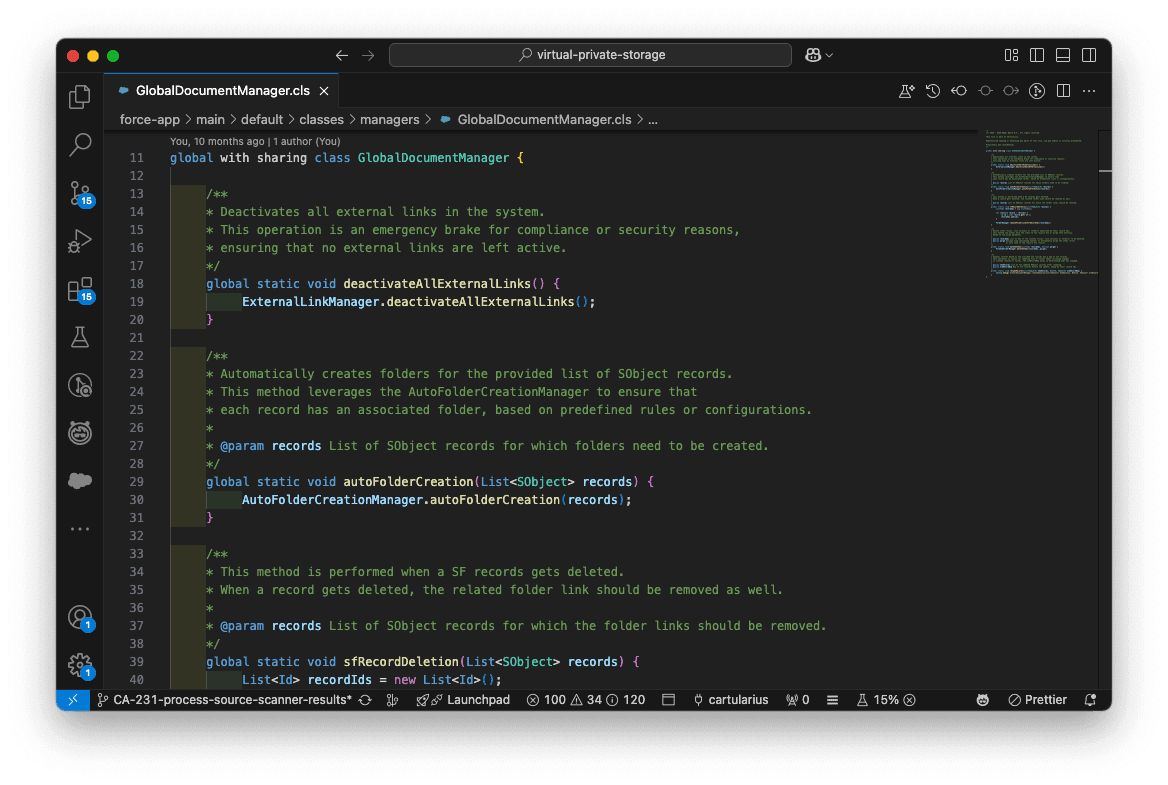
Extend Cartularius to custom objects using a provided trigger handler script that simplifies setup and guarantees smooth functionality.

Customizable Automation

Utilize Salesforce automation tools like Flow and Apex to customize file handling, categorization, and processing behavior to meet specific business requirements.

Developer API Integration

Access Cartularius features through dedicated Apex APIs, enabling you to integrate file management operations directly into your custom applications and workflows.

Why Choose Cartularius?

At Cartularius, we’re redefining document management with innovative features built to simplify your workflows. Whether you’re an IT manager, Salesforce administrator, or operational decision-maker, Cartularius helps you:

Save Time

Locate documents instantly with advanced search.

Increase Efficiency

Automate repetitive tasks and eliminate errors.

Enhance Collaboration

Ensure team alignment with real-time editing and version control.

Maintain Compliance

Be audit-ready with accurate, secure document management.

Have Questions? We're Here to Help You.

Unlock the full potential of your Salesforce workflow with Cartularius. Our experts are ready to answer your questions and guide you toward a more efficient future. Get in touch today.

Discover the power of Cartularius in a personalized demo. Our experts will showcase live examples tailored to your business. Get your questions answered and see how our solution streamlines collaboration and accelerates processes. Schedule your demo today and unlock smarter document management.

Get the list

Please provide us with your Name, Job Title and Email Address and you will receive the complete predefined list of Document Categories and Document Types in your inbox.

Get Quote (Enterprises)

Please provide us with as much relevant detail on your needs as possible at this stage in the form below. We understand your business is unique and we would very much like to get you the best offer possible. Thank you!

Get Quote (Non-Profit)

Please provide us with as much relevant detail on your needs as possible at this stage in the form below. We understand your business is unique and we would very much like to get you the best offer possible. Thank you!